Agentic AI Summit 2026
Build AI Agents That Survive Failure
About this talk
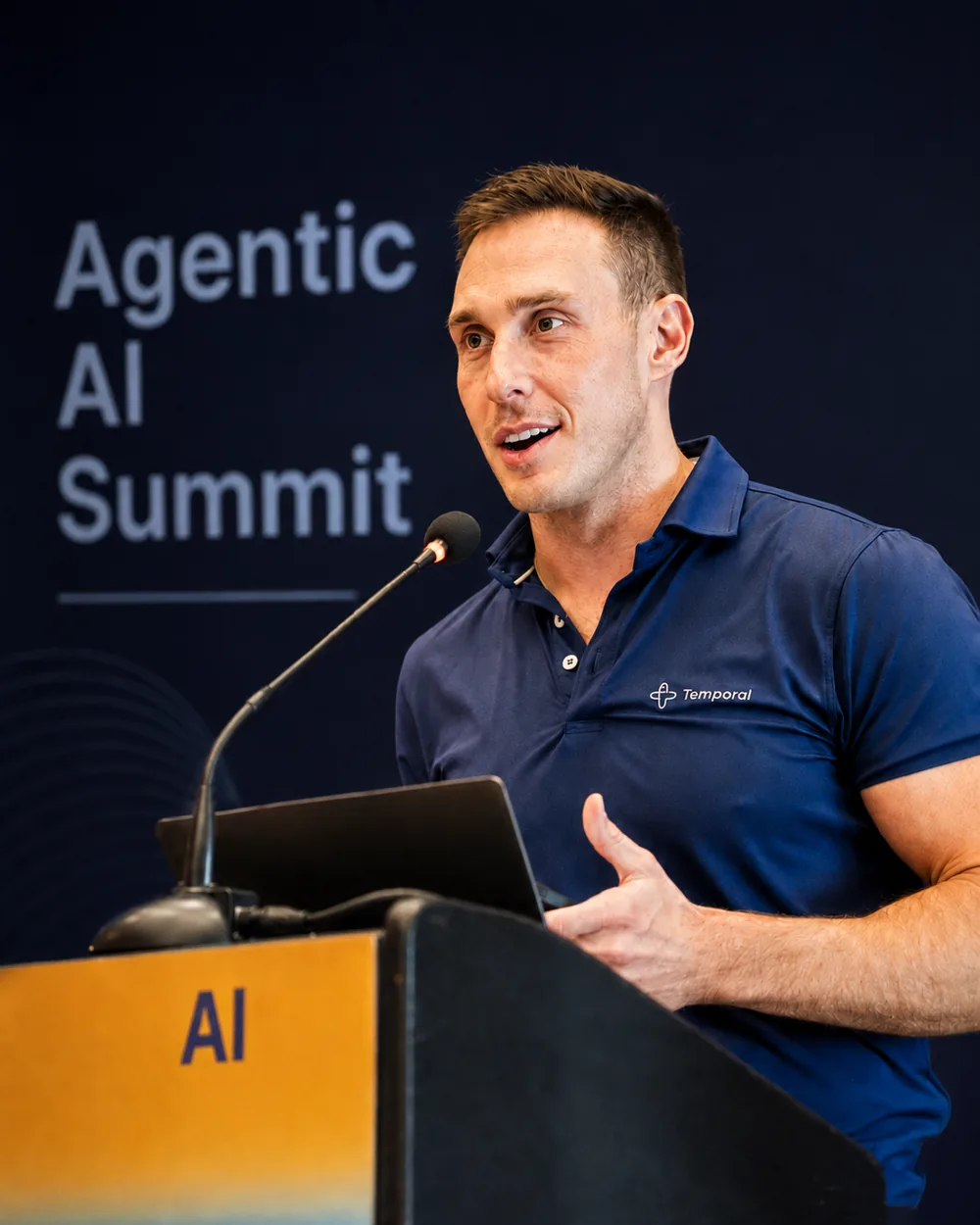
A hands-on workshop on building agentic AI systems that keep working when things break. Nikolay starts with the foundations of the agentic loop — an LLM can reason about the context it is given, but lacks the ability to act outside itself, and the loop is what gives it that. From there the workshop builds a working agent, rebuilds it on the OpenAI Agents SDK, adds a human-in-the-loop step, and finishes by orchestrating multiple agents that call one another. Every build runs on Temporal's durable execution. Partway through, attendees switch off a live weather API to force a 503 and watch the workflow retry, then resume from the exact point of failure once the service returns — no code changes, no lost work, no extra resources consumed. The final build wires a personal-assistant agent to an F1 agent through a Nexus operation and to a weather agent as a child workflow, each running on its own task queue.
What the room took away
- Explain the agentic loop — why an LLM that can only reason needs a way to take action outside itself.
- Build an agent on the OpenAI Agents SDK and run it as a durable workflow.
- Add a human-in-the-loop step so an agent pauses for a person before acting.
- Orchestrate multiple agents using child workflows, Nexus operations, and separate task queues.
- Recover an agent from a live API outage mid-run, resuming at the point of failure without code changes.
What attendees said
“it's a special talent to be able to run an effective workshop for an audience of that size, and you nailed it. Great pacing, great voiceover, hit all the essentials, and I really left feeling I got the Temporal 101 that I needed. (At the conference I attended AMD's, Databricks', and Ema.ai's, and there's absolutely no comparison.)”
“I really enjoyed your hands on session for Temporal at the Agentic AI summit and found your insights valuable.”
“Loved the workshop at Berkeley!”
“Enjoyed your workshop at the Berkeley agentic conference!”
Read the full transcript (136 paragraphs)
Auto-generated captions, lightly edited for readability — filler words removed and product names corrected. The wording is Nikolay’s own.
Hey everyone, my name is Nikolay Advolodkin. I am a staff developer advocate at Temporal. I am also a dog dad and a roller skater. There's a little preview of my cute little baby Mia. She's a co-baby.
So today we're going to talk, we're doing a workshop, so this will be hands-on. So, if you got a laptop and you want to do a little coding and playing around, that's going to be awesome because this is ultimately I love workshops where you guys can actually leave with some value doing something, learning something. The best way to learn anything is actually to be hands-on and not just passive listening. You'll retain way more information. But my goal is to cover four topics.
We probably won't get to all of them. It's a lot of information, but it's okay because afterwards I'll give you the GitHub repo and you can pursue it on your own should you decide to. We'll do foundations of agentic AI systems. We'll build one. Then we'll build with an agentic framework which is OpenAI agents SDK.
We'll do a human and the loop and then we will orchestrate micro agents. These will be multiple agents talking to each other. All of them are going to be via durable which is what using Temporal which is exactly what Johan just talked about will actually make it work in real time together. So what is an agentic loop? Well an LLM right an LLM can reason about context that we provided.
What LL an LLM lacks is the ability to take action whenever it doesn't have enough information. And so an agent loop ultimately provides an LLM the capability to take action outside of itself should it need other information. And so what we can see here is we can start an agent loop with some instructions and goals. You can define some information from it. For example, you're a travel assistant.
Find a flight to Miami, ask for confirmation before booking your payments. With that context, we pass that information to the decision maker, which is the LLM that will start the agentic loop. The LLM will decide, does it have enough information, or do I need to call a tool? And if I don't need any of that, do I already have enough information in order to provide a final answer? If it doesn't have enough information, it's going to call a tool.
Tools are what we define and tell the LLM to use, right? I'm sure many of you all have used Codex, Claude. You'll see it calling different kinds of tools. Those tools are defined by the harnesses. Sometimes they're defined by you.
You provide the tools, tell them tell to the LLM that they exist. The LLM will decide when to use those tools. Now using those tools it'll decide it'll get an output and then it'll decide does that output give me enough to give you a final answer or do I need to continue in this loop of gathering more information until I can comfortably provide an answer and that is ultimately the agentic loop there's simpler versions of it there are more complicated versions of it ultimately you define Before we actually jump into building one ourselves, I am very curious. If you would all just scan that with your phone and you can answer it whether you know Temporal or not. I'm just super curious of the layout of the audience here.
It will allow me to tailor the workshop better to fit your needs. I hope most of you at least have heard about it because I'm here on stage. No, I'm joking. But cool. This is kind of like what we've experienced so far.
Yeah. And feel free to drop emojis as well. The flying emojis are super cute. Oh, cool. All right.
You guys mostly have not heard about it or heard about it but never used it. Okay, beautiful. So, this workshop will be very advanced for a lot of you all that have never used it, but I will do my best to walk you through it and like I said, you'll have the code afterwards to enjoy. Okay, so Johan mentioned this a little bit, but ultimately Temporal allows you to write code as though failures don't exist. What that means is you're going to focus on the business logic of your agents of your distributed systems.
Agents are distributed systems, right? Whatever you want to do, you put that in a workflow, which is what we call it a step, a sequence of steps that we want to execute. And then you pull out your non-deterministic steps, your API calls, your LLM calls, your data based queries into what we call activities. When you wrap those activities inside of our SDKs, we support all the most popular SDKs, Python, TypeScript, Java, Go, Ruby, and so on. When you wrap those activities inside of our SDKs, we create a history of all of the activities that have been performed up to a certain point.
Whenever any kind of failure occurs, we pause at that point in history and we will wait for that failure to be resolved which can be seconds, it can be minutes, it can be years. When that failure is resolved, we proceed with the rest of your operations as though a failure never happened. What's even cooler is that waiting for us to proceed with those operations actually doesn't cost you any resources because we've recorded that all in our history. And so this is kind of what interacting with an LLM can look like. You'll see the workflow.
The workflow is what we will wrap our entire process under. Right? That will involve ultimately calling the LLM starting that LLM process, invoking it, and then proceeding with whatever steps we need. In our very simplest case, it's just going to be asking it a question. In more complicated cases, when we do human in the loop, it'll involve asking it a question, waiting for user feedback, and going through the entire human in the loop sequence.
And so all of that is wrapped in what we call a workflow. The non-deterministic pieces we wrap in activities. These are the parts that can fail. You want that inside of Temporal because we will make sure that those pieces never fail. By the way, Temporal has six nines of reliability.
And so in our entire workflow, what can fail? So many things can fail, right? Calls to the LLM due to network reliability. Actually, this morning I got a 429 being rate limited by OpenAI. API calls can fail, rate limits, services go down, AWS goes down.
All of those being wrapped in an activity will allow Temporal to pick up from the failures after they are resolved. All right, cool. Less talk and more coding. So, let's give our first demo a try. What you will want to do is navigate to that URL, please.
It on your computer. This is not for phone because you'll be doing a little bit of coding, less coding, but you'll be doing a lot of interactivity. Navigate to that URL. It will take you to an Instruqt environment which is basically a virtual lab no setup required and there's a bunch of exercises and I will walk you through a bunch of them step by step and along the way we will learn some things. Everybody has that link?
Yeah. Anybody not at the link yet that wants to be at the link? Anybody not at the link yet that wants to be Okay, I'll wait. Hold on for a moment. Ultimately, yeah, I think it there might be a form.
Just enter your information and then it'll start booting up a workshop. It should be max 90 seconds for the boot. So, proceed. Click the start button. Wait for the 90 seconds.
I'll show you what the screen should look like afterwards. It's in it's in a Docker container, so 90 seconds is almost as fast as we could make it. Everybody at the right place? Anybody not at this URL yet? Beautiful.
Your place that you arrive to should look like this after about 90 seconds. Show of hands. Anybody here yet at a place that looks like this? Not yet. Oh, okay.
What? One person. Anyone else? Oh, beautiful. Yep.
I'll wait for all of you to get here and I'll walk you through this first one together very patiently and then the next ones they will progressively get more and more difficult. Let me zoom in here. Oh, and I have fun quizzes along the way. So, pay attention to things that I say and things that you do. Show of hands.
Who is here now? Who is at this place? Oh, and I also have at least I have three fantastic TAs. They're over here in the front. If you need any help, and I have Melanie in the back.
If you need any help, raise your hand. They will come by and help you out. Before raising for help for hands. Who is at this point now? Got one.
Please raise your hands high so that we can proceed. We only got three or four people. Okay. Five people. Okay.
All right. I'll proceed slowly while you guys boot. And if you need help, raise your hands. Our TAs are sensational. So this is an Instruqt environment.
Pretty much everything has been created here to make it easy for you to write some code and also interact. Each of these tabs that you will see these blue buttons, they're clickable. You can click on the worker tab. It'll cl take you to this terminal. This will take you to the starter terminal.
We have the Temporal UI which is where our workflows will show up. We have a network control panel that will allow us to simulate network failures. For example, turning off access to geoloccation, IP APIs, IP address, and so on. And we have our code editor, which is where all the code will show up. You guys will do work out of the exercise folder.
The code will be relatively simple. It's Python code, but it'll be really simple. You'll basically just be uncommenting some code to make things work. But if for whatever reason you stumble inside of the solution folder, there's an exact layout structure, you can just navigate to that folder and it will show you the solution to the challenge. Let me see what else I need to show you all in here.
Oh, and since this is our first exercise, we can walk through it all together. So here we can see writing the agent part. We'll click the editor tab which will take us here and then it tells us to go to exercise tools work workflow. Py. In here we have our Temporal workflow.
You'll see we have a bunch of imports. We're importing OpenAI agents SDK. We're importing some tools that we created. Ultimately, these tools are just web requests to different endpoints. This is a web request to get coordinates.
This is a web request to get IP address, location info, and weather. All of these exist right here in tool activities. You can see here's our tool calls, which are ultimately just functions. You can see we've wrapped our tool calls and activities so that they become durable and reliable. We give our LLM a system prompt.
Whether this is a great system prompt or not, we can debate later. And here begins our workflow. We defi we provide a workflow definition. And here we start our workflow execution. And inside of our workflow, the these are going to be the business operations that we want to perform.
The steps that we want to execute in order to perform whatever we want to perform. We can have one workflow. We can have thousands of workflows. It doesn't matter. It's the steps that you'll want to perform.
In this case, your goal, as you will see, there's a to-do statement here. It will tell you exactly what to do. Since this is our first one, I'm taking us through this. Little by little, I'll reduce the amount of handholding I provide. So in this case, it's really simple.
We will uncomment this agent so that we can see how to construct it within our workflow. So I'm just going to go down here, uncomment. I recently got really good feedback on this workshop from one of our customers that not everyone is familiar with VS Code keyboard shortcuts. It's command forward slash to uncomment. And if you're a Windows, I don't know the command for uncommenting.
I'm so sorry. And so we uncomment our agent. We can see the setup. This is using Open AI agents SDK. It's our integration with them.
All it does is call out to the Open AI APIs. We just put a beautiful wrapper around it just to make the code cleaner and easier for you to use. Provide a name. Give it the system prompt. Pick the model.
GPT40 is good enough for this one. Provide our tools which are self-created. API endpoint calls. Right? Remember these tools can be just web requests.
It could be calls to MCP servers. Could be so many options. We provide these tools. We're providing them as activities tools meaning that they will be wrapped inside of Temporal durability. And so every one of them if it ever fails will get the durability behind the scenes or in front of the in front of you as well.
And then ultimately we'll run the agent and return the final output. So let's see if we performed everything that we needed. We did this step. That's pretty much it for this one. Very simple.
Now we want to execute our process. The very first thing we want to do is spin up a worker. So just click on the worker tab. Click this run button. No need to even copy and paste in here.
It'll start a worker. The worker is the process that will keep pulling our task Q to decide what work it needs to perform on our behalf. Right? We may have a backlog of things that need to be performed. The worker is the thing that pulls the task Q to see what's in the backlog to execute.
Once the worker has started, we can do our starter. The starter is exactly the code that you just saw, but we're just starting the workflow. And in this case, we're simply asking our LLM, what is the weather in Tokyo? And so, we will execute this by going to the starter tab, hitting run. It will ask the LLM this question, and we will see how it responds.
To see how it responds. We'll navigate to the Temporal UI. We'll do a quick refresh and our workflow already completed. Let's open it up and see what happens. So, of course, this is using our Python SDK.
As I mentioned, we have many. This is one of the really cool things about Temporal. I'm I'm totally new to Temporal. I didn't even know about it until I started working at this company. But one of the things that I really love is the visibility that we get to track every single interaction that's happening within our workflow.
So for example, you can see the entire timeline. Here we invoke the model activity. Here we got the coordinates. Here we invoked another model activity. Here we got the weather.
And then we invo invoked the last model activity. We can click on these and see exactly what happened. We get a bunch of information. We can see the headers. We can see the input that was provided, right?
And so you can kind of see what was the input that we sent to OpenAI in order to make this happen. Of course, everything that we showed in the code, but then also everything that was also abstracted away, so you don't have to deal with the things that are not important. So here's the input and we can see its output as well. If you scroll down here a bit, this is the result of that web request. And so this is what happened.
It came back with a response ID and blah. Less important here for example. But what happens when we called our get coordinates activity. So here's what it sent into the get coordinates which was just Tokyo. And here's the output that it sent got back to us.
Tokyo longitude and latitude and so on. Get weather same thing. Here's the input using the longitude and latitude that we got from Tokyo. And what's the output? It gave us the information.
It gave us the weather. Let's see what the weather is there. 6 degrees Fahrenheit. It even gave us the wind speed and so on. 6 degrees Fahrenheit with a light wind speed.
Let me see if there's anything else valuable to cover here. So good so far. Show of hands. Who was able to successfully run their first workflow? Oh, love it.
Awesome. Congratulations. Great job, everyone. All right, we'll make it a little bit more fun. We will break it and actually simulate durability in real time.
In this case, navigate to the network control panel. This simulates real failures. It'll turn off access to different kinds of APIs. In our case, let's go ahead and turn off the weather API, right? You can imagine either your network is blocking that call.
Maybe you work in an enterprise and they don't want you to talking to the weather API. Maybe the weather API is actually down. May there maybe AWS is down. Hence the weather API is down. So it's off.
Now let's do the same exact thing. We will come back to our starter. We will run the same query, but in this case, it looks like we're asking what is the weather in London. And of course, you can switch it up. " But we can do that.
Next, we run it. Now, let's go back to the Temporal UI and see what happens. This is the cool part because this is where the durability comes in. First of all, you'll see that now it's in running state and it will stay in running state until the problem is resolved. You will see over here this call it keeps retrying and it will keep retrying depending on the default retry policy that we've defined.
In our case, we have a default retry policy. We didn't explicitly specify anything and so it will keep retrying forever. There's also automatic backoffs and backoff coefficients that exist in here as well. Right? Give you guys an example.
You don't want your LLM for example to pull an OpenAI API all the time because right that'll cost you resources. And so maybe if you made 10 calls, you want to wait for 10 seconds before you make another 10 calls. And if those 10 calls fail, maybe you want to wait for 30 seconds before you make another 10 calls. And so that's called an exponential backoff. And so that's already built in here automatically.
Normally, if Temporal doesn't exist, we got to code this logic ourselves. We can get a it can get a bit hairy, but because it's Temporal, this is what's happening. And so you'll see the last failure. Service error 503 service unavailable. And so that's what's happening.
And it'll keep retrying based on the criteria that we define. We can define it explicitly should we choose so because we have some specific business requirements or we can leave it in its default state which is exactly what you'll see here. So let's fix the problem, right? Let's imagine AWS had an outage. It's back up.
Weather API is back up. Turn the weather API back on and within a few moments we should see this recover as though no failure ever occurred. We don't need to touch any code. It'll pick up exactly from the place where the failure happened. No extra resources have been utilized.
The workflow will finish correctly. We can go back to our terminal and we got the weather from London which is right there. Who has been able to successfully replicate that. Fantastic. You guys are so good.
Let me see here if anything else I want to show you all before we move on. Maybe just one thing to point out to you all here. Because this is using OpenAI agents SDK, you can make your own you can make your own agentic loop for sure. A lot of the agent frameworks they hide the gentic loop behind the scenes but ultimately it's a while true loop where you do the exact operations that I mentioned. You wait for user input decide whether that user input decide whether you have enough information to make a decision.
If you don't have enough information to make a decision what do you do? Do you call tools or do you do something else? You could do that all yourself which will probably be about 50 lines of code. In this case it's just one line of code. We're using activity as tool in order to provide the durability to all of the tools that we are calling.
And then we're using the SDKs. Here you pretty much define everything on your own. So like this would be a self-made agentic loop that would exist. This is using the OpenAI agents SDK. You just do runner.
Run and then OpenAI agents SDK handles the loop for you behind the scenes. You just pass in the agent and the query. Here's the lines of orchestration code that you would need to write yourself should you decide how to work with the agentic loop. Here is again the SDK replaces all of that. The durability should you want to execute the workflows.
Looks like that. Cool. That looks good to me. Everybody good on this point? Show of hands if you if that makes sense.
Beautiful. All right, let's we can hit we can hit skip and move on to the next. There'll be another module. It might take a few seconds to load, but let it load while I have a fun quiz for all of us. Please join our fun game.
There will be quiz questions that we answer and there's a little leaderboard that we can compete on. And maybe for the top three people, we will give away some swag. So afterwards, I'll grab your information and the top three people will get some swag from us. >> Yeah. Join oh while people are joining these questions are single choice or multiple choice some answers will have multiple responses and the faster you answer the more points you get but of course Getting the right answer is also important.
Oh, love it. You guys are awesome. So many people participating. This is my first ever public workshop for Temporal. So I'm super excited to see all of you guys participating in this.
Thank you. All right, everybody joined. I'm not seeing any more people joining. All right, we are beginning. You snooze, you lose.
I have cool music here that's playing. I guess you guys can't hear it. Hopefully most of you guys get this. This one should be an easier question. All right, congratulations to the 41 people.
Yes, the LLM decides which action to perform next. Ultimately, the LLM is the decision maker. We pass it context. We tell it tools. The LLM decides whether it has enough information and what to do next, whether to call more tools or to give you back a final response.
All the other stuff is just a distraction. Demo two is the one we just did. I hope like 99% of you guys get this right. All right, great job. Yes, in this case we're we didn't write any loop.
I showed you how a potential loop that you write can look. In this case, we're using OpenAI agents SDK. The loop is written for us inside the runner. Run. This one I might not have covered too well.
I'm so sorry. Hopefully some of you caught it as I was going through the workflow, but I should have done a better job of covering it, but let's see. One of the answers is definitely not right. The other two, it's like, yeah, maybe. Yeah, good job for those of you.
Yeah, it was could have been one of these two. It's invoke model activity. If we look at here in the next section, oh crap, because the I don't have the workflows in here. I'll show you all next time when we get back in here. It's invoke model activity that is called This is like our core reason for existing.
Is this a hard question? LeBron is unhappy about this question. I'm sorry, LeBron. Yeah, great job to the 41 people. The reason why we wrap OpenAI LLM calls or any LLM calls in activities is because they're non-deterministic.
And so any non-deter deterministic code we want to have in activities so that we can replay that afterwards. We want to keep the deterministic code which is just the business logic, business flow inside of the workflow. Non-deterministic parts put that in activities so that we can replay them when necessary. All right, we will come back to this after the next section. Oh man, I am so short on time.
I think I got like 22 minutes. All right, show of hands. I'm going to offer you guys two options of what you what we can cover. We can cover human in the loop or we can cover multi-agentic processing. People for human in the loop.
People for multi-aggentic processing. All right, we'll do multi-aggentic So for that skip this demo four human in the loop. The next one will be multi-gentic. We'll skip this one. I knew the hour would fly, but again, I'll share the repo afterwards and you all can follow this workshop along and dig into it as much as you want.
And then of course, we're all here. We have a Slack community, Temporal Slack community. You guys can reach out to us there for help. And then you can find me also on LinkedIn and I'll be glad to help you all as well. Let's proceed.
We'll skip human in the loop then. Sorry all the human in the loop people. Orchestrating micro agents. So far what we've done in our workshop which has been really fast. We have an LLM which becomes an agent right because it runs in a loop.
We've given it some tools. We didn't give it an MCP tool in this workshop but we can had we done the previous chapter. We also would have added a human in the loop tool which is ultimately allows us to ask and wait for human feedback right for human in the loop you can wait for an approval you can wait for some kind of information that's chpt GPT is a human in the loop type of thing right how does it wait for you to respond to it before proceeding with the next operation but this is becoming very busy and so we want to break this up that's when we're going to create multi-gentic processes ing many a few reasons why we want to break that up. I'm going to fly through this because we're I want to make sure you guys get hands on. Context poisoning, distraction, context clash, and confusion all can lead due to having too much context, right?
Maybe for a smaller workflow, it's simple. For larger workflows, more data, the more stuff we provide, the harder it is for the LLMs to reason about. So, we're going to break this up. We're going to have tools. We're going to have a weather agent and a Formula 1 agent that we're going to call and we're going to have a personal assistant agent.
Our personal assistant agent is going to be the entry into the entire process. Our chat GPT and then using our query, our chat GPT aka personal assistant agent will decide which tools it wants to call, whether the weather agent or the F1 agent or maybe both or maybe more. Few ways to call our sub agents. We can call them via an activity. We can call them via a child workflow.
You can imagine you have one business process that's running. Maybe you put a decision process in another you put the decision-making logic in another process which we call a child workflow. So you can have the main workflow starting a child workflow or you can do that via Nexus which is our other technology that ultimately allows you to segregate based on team domains. You can segregate based on regions. You can segregate based on security concerns.
You can segregate based on code requirements. Maybe you want to have one agent being deployed at a different frequency than another agent. This is a massive topic, but if you guys want to know more information about it, just Google Nexus and then you learn more about it. But you'll see it being used here, but I won't cover it so much in depth. That's what that looks like.
Cool. Let's actually build it. So, at this point, you should be at this step, which we're calling demo five. And all of the agents existing in their own workflow. So, make sure you get to demo five.
Let's start it and I will let you work your way through this. It's ba Oh, no. Let me quickly work you the architecture. There's an architecture diagram that I've added here from one agent doing one thing to three agents existing. Now, there's a lot going on.
This architecture diagram is kind of meant to help you connect all of the pieces. I'll quickly walk you through it so that everyone can be hands-on. We start here at the personal assistant workflow, right? As I mentioned, personal assistant will capture all of the information and we ask the personal assistant to query, what's the weather for the next F1 race? The personal assistant will then decide what do I need for that to happen.
We have F1 tool which is a Nexus operation that will call our F1 agent right it'll execute in a separate file using a separate task Q and it has an entire process that it will follow here in order to execute this here we'll walk through it. I'm not these do all of these steps. Ultimately, the F1 agent, all it does is call to F1 MCP server, which we're hosting, but it's just calling ultimately to the F1 APIs. All that information makes its way back to our personal assistant agent. Now, it says, okay, do I have enough information or not?
At this case, no, because we also wanted to know the weather. So, now it has to call the weather agent. So, it's going to call the weather agent as a child workflow. Again, I'm we're doing all of these different operations just to show you guys the different possibilities. Of course, we can code this in whatever way makes sense.
This child workflow as a tool will be a separate work workflow running on a different task q using a different agent that will go through this process of deciding what is the weather in the location that we want. And so in this case it'll call our get co coordinates activity. You've seen that it'll call our get weather activity also tools and ultimately those are just public HTTP requests that gather the information and bring it back to our weather agent which will bring it back to our personal assistant agent. With all of that information, the personal assistant agent can now give us a final response and say at the Singapore Grand Prix, expect 30° C. That is what we are building here.
Of course, more complicated than this, but I leave it to you all to now give this a shot. Step through here. It should not be much more difficult than what we did, but follow along. You'll wire up the orchestrator by going in the editor and uncommenting some code. And then you should be able to run it on your own.
I'll give you all like one minute and then I will do this myself with you all so I can work walk you guys through the important parts. I'll start slowly walking through here and Yeah, we'll go in the editor. Go in the exercise folder inside. We have a lot more files. You guys can see how quickly these things can get super complex.
And so hopefully you guys are kind of understanding how complicated it can be to manage a distributed system. And this one is tiny. We'll navigate to our personal assistant. Py file which exists right Again, if anyone needs any help, we have sensational teaching assistants here that can help you. They are way more intelligent than I am.
Very similar layout to what you guys have seen before. This is a personal assistant. Gets a system prompt, gets some tools, here's the workflow definition. Honestly, like getting started with Temporal, for me, the biggest challenges were number one, understanding the model of how it works, which is like, okay, if I want to orchestrate anything, put the process in a workflow and then think about like, okay, what are all the non-deterministic things that I'm doing? Pull those out and put them in activities which are just functions, right?
Put those in functions and then put those functions together in a sequence in the workflow. And so once you overcome that gap, the rest of the stuff becomes really cool and really easy because all we do is code for the happy path. We just tell the system to do what we want it to do. The failures will happen along the way and Temporal will just be there like holding the queue for us. Holding the history for us until we decide to proceed forward.
So in this case, we're going to uncomment the weather tool block. That's what this is. Previously, remember our weather tool was just a function and be called an API. In this case, we're going to call it as a child workflow. It means the personal assistant workflow will start a new workflow and they'll be tied together.
I'll show you how. Give it some information. In the second part, we're gonna uncomment our F1 tool. Our F1 tool is ultimately a call an API call. We're we're going to call it through Nexus.
Nexus you can basically think of as an API that whatever team wants to expose and the team of course can expose whatever they want. If I want to expose to you only certain endpoints that you can call to maybe another team or maybe another organization, you can call those endpoints only and that's it. And that's what makes this really nice is you basically provide the endpoint. You provide the name of the service and using that information the workflow can call that endpoint and whatever happens behind the scenes we're going to call an F1 API. It could be many other things that happen behind the scenes.
Those things can even change, but this contract will remain the same ultimately allowing the caller to not have to change their code. But behind the scenes, if you want to improve it, we want to move to version two and so on, we can. And then we give it a tool description. Let me see if anything else. Here's our personal assistant agent.
And make sure that the tools are included inside of our tools object. And then we continue running it as before using runner. Run and so on. That looks good to me. Let me see.
We accomplished everything. Fantastic. Now, because we have multiple workflows, we're going to use multiple workers as well. So let's spin up our personal assistant worker. You can imagine all of them as separately deployable units.
Our personal assistant worker is running. We can start up our F1 worker. Run that. Let's go to our starter. Let me see what okay we can do this call and then we will ask when is the next F1 race and what's the weather there right now and run that and this is all real of course calling out to real APIs now it's running let's go to our Temporal UI and see what's happening refresh there we go we got two workflows that are executing we got our personal assistant and remember we started a separate workflow for asking for the weather.
Let's go inside the personal assistant and see what it's doing in here. Inside of the personal assistant, we can see the input, right, which is the original query that we got. And we can see the output because it's already went through the entire process. Tolds us that the next F1 race is in the Dutch Grand Prix, scheduled for August 23rd. 7 degrees Fahrenheit.
Here are all of the steps that it executed. Here's a call to Nexus. We don't need to dig in dig so deep into that but it basically allows us to call a totally separate you can as I mentioned you it's basically calling an API and behind the scenes the API performs its separate things. We can see it here Nexus link we can click on the Nexus link navigate inside of that Nexus link is another workflow the F1 expert that performed its own operations. Here's everything that it did.
Gathered the F1 data, called the F1 API, returned that data back. And then the personal assistant workflow, weather agent workflow called the weather agent, gathered that data and then returned it. And then using all that information, he was able to res give us the answer back. Now we can try to break it. I'll give you all a moment to break it, but you can just turn something off.
Let's turn off the weather again. In the network control panel, turn off the weather and go back to our starter. Rerun it. But we can Yeah, this is fine. We'll rerun this query again.
We'll go back to our Temporal UI. We'll have two workflows executing. Clearly, they're not going to finish. Let's see where it breaks. It's going to break at the weather agent workflow, right?
You can see that now this is here and it's continuing and it's going to continue running until the issue is resolved. If we co go back to our ask weather agent workflow, this is what's happening here. This call of get coordinates is the one failing and it will keep failing Let's fix it. Turn that back on. Go back to the Temporal UI.
Both of the workflows will start up as soon as they realize that the API endpoint is back up. Give him a moment. The restarting depends on the retry policy exponential backoff, right? Sometimes we might get to a point where we have to wait for like many seconds before something is retrieded because we've been waiting for something to happen for a long time. There we go.
Both of them completed successfully. Cool. Who here has been able to successfully make their agents fail? Beautiful. All right, let's wrap up with the quiz.
Hold on. That means I have to skip a few questions. Get back on your mobile phones. Oh, here's the leaderboard for now. Let's see.
YB is rocking it with Vargasi at a close second and Ming at a close third. Let's see what can happen with the results after this quiz. You guys get in here. Is everyone in here? Bunch of people joining.
I love the sm the emojis. Keep going. Bunch of people joining. Join. Join.
Join. Who's going to get the swag? Who wants the swag? How badly do you want this swag? I know.
Everybody wants swag. We'll do so much for Swag and Coffee, right? We'll do like anything for Swag and Coffee. All right, I think everyone's good. Oh, Vargasi joined.
We needed Vargas in there. He was number two, I think. We still have people joining. All right, let's go. Let's see.
You guys should be good with this one. Ah, no. Ask weather agent. That's not a specialist. We had child workflow was tool using as a Temporal primitive but it's also on me.
I didn't do the best job covering it because I had to rush. I'm sorry. Let's see this next one. So this is if we didn't uncomment the tools inside of the tools object. What do you imagine would happen?
We have the workflow but the tools have not been added. This one is tricky. Tricky for beginners for sure. All right. Yeah, it was a hard one.
The activity will still run. We just don't have the tools to call that the workflow will still start but we don't have the tools to call so it'll just return with invalid information. I definitely talked about this. What is the value of getting the workflow execution of getting the workflow execution and wrapping those specialists in those workflows? You guys saw it in the UI what we get.
One of them is definitely not. All right. Yeah, great job, guys. That's really good. Yeah, you get all three.
You don't get more RAM. Sorry. You got to pay for RAM on your own. One minute. All right.
This will be the last question. I got one minute. Yeah, this one is hard because it's Nexus specific. But basically, instead of calling one workflow from another, remember what I told you Nexus is like? It's an API.
So what does an API give you that controller that direct imports in your code don't give you all right yeah you guys got some of these really good yeah you don't get extra operations APIs don't do anything for that namespace consistency that's on the developer to define Beautiful friends. That's it. I'm being kicked out. All I ask from you all are two things. Please follow me on LinkedIn.
I will drop all the content that you saw here on there so you can get it. And then number two, in your Instruqt, there's your feedback tab. Please just give us some feedback so that I can use this to improve the workshop for the future. And give me constructive feedback that I can act on. You can tell me I suck.
No big deal. But please tell me why I suck. I would love that. And then also the winner. Oh, let me let you all scan that.
Everybody scan that. And let's check the three winners of the quiz. All right. And the three winners are Anton, Henrik, and Ming. I'll be in the back.
Please see me after I got you guys with swag, okay? I'll be like right in the back of the room. Thank you all so much. Have a beautiful day.
Want this talk at your event?
Nikolay speaks at conferences, corporate events, and engineering summits worldwide.
Book Nikolay to speak